Posts

Showing posts with the label c#

Remote debugging IIS Web Application from Visual Studio

Setup your debug environment as described in Remote debugging from Visual Studio post. When you click ‘Attach’ select w3wp.exe process. If you’re running Application Pools with multiple version of .Net you might see more than one process so make sure you select the correct one.

C# Convert double to decimal

This is a workaround to Convert.ToDecimal(Double) limitation of 15 significant digits by using ‘R’ Round-trip Format Specifier . Convert.ToDecimal Method (Double) “The Decimal value returned by this method contains a maximum of 15 significant digits. If the value parameter contains more than 15 significant digits, it is rounded using rounding to nearest. The following example illustrates how the Convert.ToDecimal(Double) method uses rounding to nearest to return a Decimal value with 15 significant digits.” decimal .Parse(dbl.ToString(" R ")) [Test] public void ConvertDoubleToDecimal() { Compare(1.00000000000006d, 1.00000000000006M); Compare(1.00000000000004d, 1.00000000000004M); Compare(1.000000000000066d, 1.000000000000066M); Compare(1.000000000000044d, 1.000000000000044M); } private void Compare( double dbl, decimal dec) { Convert.ToDecimal(" 0.d0d. "); var d1 = Convert.ToDecimal(dbl); var d2 = new Decimal(dbl); var d3 = de...

IComparable<> inheritance in SortedDictionary

[Test] public void Test() { var dic = new SortedDictionary<BaseClass, string >(); dic.Add( new BaseClass(){Number = 1}, " "); dic.Add( new ExtendClass(){Text = " One "}, " "); Assert.True(dic.ContainsKey( new BaseClass() { Number = 1 })); Assert.False(dic.ContainsKey( new BaseClass() { Number = 2 })); Assert.True(dic.ContainsKey( new ExtendClass() { Text = " One " })); Assert.False(dic.ContainsKey( new ExtendClass() { Text = " Two " })); } public class BaseClass : IComparable<BaseClass> { public int Number { get ; set ; } public virtual int CompareTo(BaseClass other) { return Number.CompareTo(other.Number); } } public class ExtendClass : BaseClass, IComparable<ExtendClass> { public string Text { get ; set ; } public override int CompareTo(BaseClass other) { var other2 = other as ExtendClass; return other2 == null ? base .CompareTo(othe...

Exception handling in multithreaded C#

try { Parallel.Invoke( () => { Console.WriteLine(" Starting Job 1.. "); Thread.Sleep(3*1000); Console.WriteLine(" Starting Job 1.. SUCCESS "); }, () => { Console.WriteLine(" Starting Job 2.. "); throw new Exception(" Job 2 Failed "); } ); } catch (AggregateException ex) { Console.WriteLine(ex); foreach (var innerEx in ex.InnerExceptions) { Console.WriteLine(innerEx); } }

C# Convert List IEnumerable<T> to 2D multi-dimensional array

//extension method public static object [,] To2DArray<T>( this IEnumerable<T> lines, params Func<T, object >[] lambdas) { var array = new object [lines.Count(), lambdas.Count()]; var lineCounter = 0; lines.ForEach(line => { for (var i = 0; i < lambdas.Length; i++) { array[lineCounter, i] = lambdas[i](line); } lineCounter++; }); return array; } [Test] public void Test() { var lines = new List<Line>(); lines.Add( new Line() { Id=1, Name=" One ", Age=25 }); lines.Add( new Line() { Id = 2, Name = " Two ", Age = 35 }); lines.Add( new Line() { Id = 3, Name = " Three ", Age = 45 }); //Convert to 2d array //[1,One,25] //[2,Two,35] //[3,Three,45] var range = lines.To2DArray(x => x.Id, x => x.Name, x=> x.Age); //test the result for (var i=0;i<lines.Count;i++) { for (var j=0;j<3;j++) //3 lambdas passed to function { Console.Wr...

MVC4 auto refresh partial view

Image
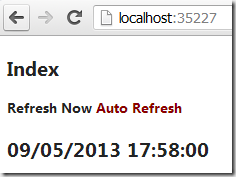
* Create new MVC4 application and make sure you configure unobtrusive-ajax as described in How to use MVC3 with AJAX * Create Controller /Controllers/HomeController.cs public class HomeController : Controller { public ActionResult Index() { var model = new ViewModel(); model.Now = DateTime.Now.ToString(); return View(model); } public ActionResult Refresh() { var model = new ViewModel(); model.Now = DateTime.Now.ToString(); return PartialView(" IndexPartial ", model); } } public class ViewModel { public string Now { get ; set ; } } * Create view /Views/Home/Index.cshtml @using MVCTest.Controllers @{ ViewBag.Title = "Index"; } < h2 > Index </ h2 > < a id = "button" title = "Refresh now" > Refresh Now </ a > < a id = "toggleButton" title = "Auto refresh every 5 seconds" > Auto Refresh </ a > < div id = "PartialDiv...

Remote debugging from Visual Studio

Image
Copy RemoteDebugger to remote machine from your local Visual Studio directory (This is path for VS2010) C:\Program Files (x86)\Microsoft Visual Studio 10.0\Common7\IDE\Remote Debugger Start remote debugging monitor on the server ‘msvsmon.exe’ Go to Tools/Options and select ‘No Authentication (native only)’ and ‘Allow any user to debug’ In your Visual Studio select ‘Debug/Attach to Process’ , specify Transport as ‘Remote (Native only with no authentication)’ and put your server name as Qualifier, click Refresh and you should see the list of processes on the remote machine. Select the process you want to debug and click ‘Attach’

Using NuGet without committing packages to source control

Using NuGet without committing packages to source control

C# ConcurrentQueue with limited number of items

public class LimitedConcurrentQueue<T> : ConcurrentQueue<T> { public int Size { get ; private set ; } public LimitedConcurrentQueue( int size) { Size = size; } public new void Enqueue(T obj) { base .Enqueue(obj); lock ( this ) { while ( base .Count > Size) { T outObj; base .TryDequeue( out outObj); } } } } [Test] public void TestLimitedConcurrentQueue() { var queue = new LimitedConcurrentQueue< int >(3); queue.Enqueue(1); queue.Enqueue(2); queue.Enqueue(3); Console.WriteLine( string .Join(" , ", queue.ToArray())); //gives 1,2,3 queue.Enqueue(4); Console.WriteLine( string .Join(" , ", queue.ToArray())); //gives 2,3,4 }

C# LINQ inner and left outer join

Left outer join extension method is based on How to: Perform Left Outer Joins article. [Test] public void Test() { var list1 = new List< int >() { 1, 2, 3, 4, 5}.Select(x=> new {a=x, b=x*x}); var list2 = new List< int >() { 1, 2, 3, 4 }.Select(x => new { a = x, b = x * x * x }); var innerJoin = list1.Join(list2, x => x.a, y => y.a, (x, y) => new {a = x.a, b = x.b, c = y.b}); innerJoin.ForEach(Console.WriteLine); var leftOuterJoin = list1.LeftOuterJoin(list2, x => x.a, y => y.a, (x, y) => new { a = x.a, b = x.b, c = (y != null ) ? y.b : ( int ?) null }); leftOuterJoin.ForEach(Console.WriteLine); } public static class Extensions { public static IEnumerable<TResult> LeftOuterJoin<TOuter, TInner, TKey, TResult>( this IEnumerable<TOuter> outer, IEnumerable<TInner> inner, Func<TOuter, TKey> outerKeySelector, Func<TInner, TKey> innerKeySelector, Func<TOute...

Run 32bit .Net application with >2GB RAM on 64bit machine

To allow your 32bit application use more than 2GB of RAM you need to modify the *.exe file with editbin utility. (open ‘Visual Studio Command Prompt’ and it will be on the path) editbin /LARGEADDRESSAWARE <your-app.exe> or just add these 2 lines to your Post-build event in Visual Studio call "$(DevEnvDir)..\tools\vsvars32.bat" editbin /LARGEADDRESSAWARE "$(TargetPath)" or these if you are building your project with msbuild outside of Visual Studio call "%VS100COMNTOOLS%\vsvars32.bat" editbin /LARGEADDRESSAWARE "$(TargetPath)" To check if all ok run dumpbin utility as below and check if the output has ‘Application can handle large (>2GB) addresses’ text in FILE HEADER VALUES. dumpbin /headers <your-app.exe>

C# Extension to split IEnumerable into batches of n items

This code splits a list into a batches on n items. If list = (1,2,3,4,5,6,7,8,9,10) and n = 3 then the result is ((1,2,3),(4,5,6),(7,8,9),(10)) public static class Extensions { public static IEnumerable<IEnumerable<T>> Batch<T>( this IEnumerable<T> list, int batchSize) { int i = 0; return list.GroupBy(x => (i++ / batchSize)).ToList(); } } [TestFixture] public class TestExtensions { [Test] public void TestBatch() { var list = new List< int >() { 1, 2, 3, 4, 5, 6, 7, 8, 9, 10 }; var result = list.Batch(3).ToList(); Assert.AreEqual(4, result.Count()); Assert.AreEqual(3, result[0].Count()); Assert.AreEqual(3, result[1].Count()); Assert.AreEqual(3, result[2].Count()); Assert.AreEqual(1, result[3].Count()); result.ForEach(x=>Console.WriteLine( string .Join(" , ",x))); } }
Convert DataTable to IEnumerable for LINQ processing

[Test] public void TestDataTableToEnumeration() { var dt = new DataTable(); dt.Columns.Add(" Id ", typeof ( int )); dt.Columns.Add(" Name ", typeof ( string )); dt.Columns.Add(" Value ", typeof ( double )); for ( int i = 0; i < 5; i++) { var row = dt.NewRow(); row[" Id "] = i; row[" Name "] = " Name " + i; row[" Value "] = i + 0.1d; dt.Rows.Add(row); } var data = dt.AsEnumerable().Select(row => new { Id = ( int ) row[" Id "], Name = ( string ) row[" Name "], Value = ( double ) row[" Value "] }).Where(x => x.Id < 3); foreach (var row in data) { Console.WriteLine(" {0},{1},{2} ", row.Id, row.Name, row.Value); } }

C# Generic Lambda Comparer

public class LambdaComparer<T> : IComparer<T> { public enum Direction { Asc = 1, Desc = -1 } private readonly Comparison<T> _comparison; public LambdaComparer(Comparison<T> comparison) { _comparison = comparison; } int IComparer<T>.Compare(T x, T y) { return _comparison(x, y); } public static LambdaComparer<T> IgnoreSortComparer() { return IgnoreSortComparer(Direction.Asc); } public static LambdaComparer<T> IgnoreSortComparer(Direction direction) { return new LambdaComparer<T>((x, y) => x.Equals(y) ? 0 : ( int )direction); } } public class Data { public int X; public int Y; } [Test] public void TestLambdaComparer() { var data = new Data[] { new Data() { X = 1, Y = 1 }, new Data() { X = 3, Y = 2 }, new Data() { X = 5, Y = 3 }, new Data() { X = 2, Y = 4 }, new Data() { X = 4, Y = 5 } }; Console.WriteLine(...

C# string parameter replacement with simple date arithmetic

[Test] public void FindAndReplace() { var sql = @" SELECT * FROM Table_{@AsOf} WHERE Date='{@AsOf-1}' "; Console.WriteLine(" BEFORE: {0} ", sql); var asOf = DateTime.Today; //(?: )+ means repeat the inner groups var regexExpr = @" (?:{@(?<parameter>\w+)(?<operation>\S)?(?<number>\d+)?})+ "; var regex = new Regex(regexExpr); foreach (Match match in regex.Matches(sql)) { sql = sql.Replace(match.Value, Substitute(match.Value, asOf)); } Console.WriteLine(" AFTER : {0} ", sql); } private string Substitute( string parameterText, DateTime asOf) { var regexExpr = @" {@(?<parameter>\w+)(?<operation>\S)?(?<number>\d+)?} "; var regex = new Regex(regexExpr); var match = regex.Match(parameterText); if (match.Success) { var parameter = match.Groups[" parameter "].Value; if (match.Groups[" operation "].Success &...